When a conversation reaches the team
Mujib hands a conversation to the team when the customer asks for a person, something needs approval, or it can't find the answer. It shows up under Waiting with a short summary of what the customer wants and how long they've waited.
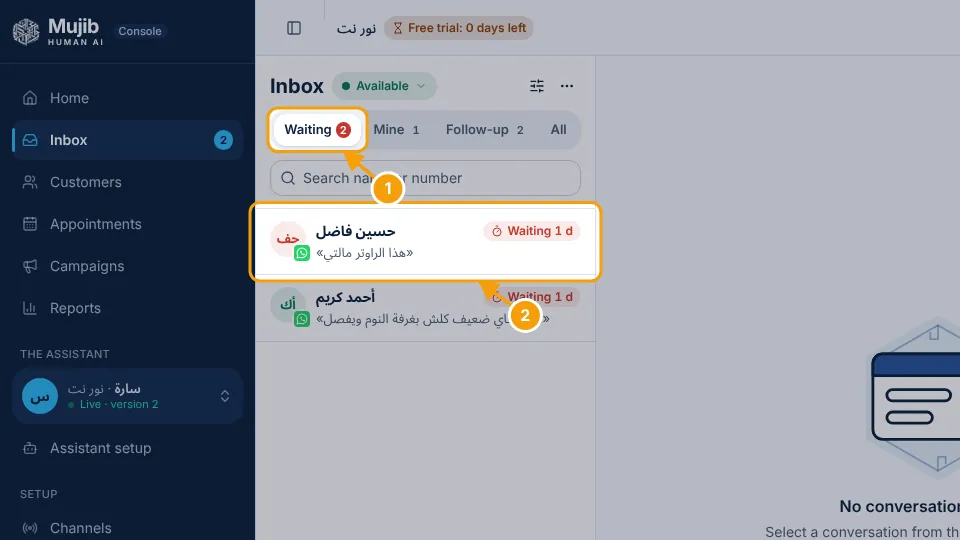
- Waiting
- A conversation waiting for the team
Take it, then hand it back
Press Take over and Mujib stops replying there; the reply is yours. When you're done, press Hand back to assistant or Mark as solved. To give it to a teammate, open More and choose Assign to….
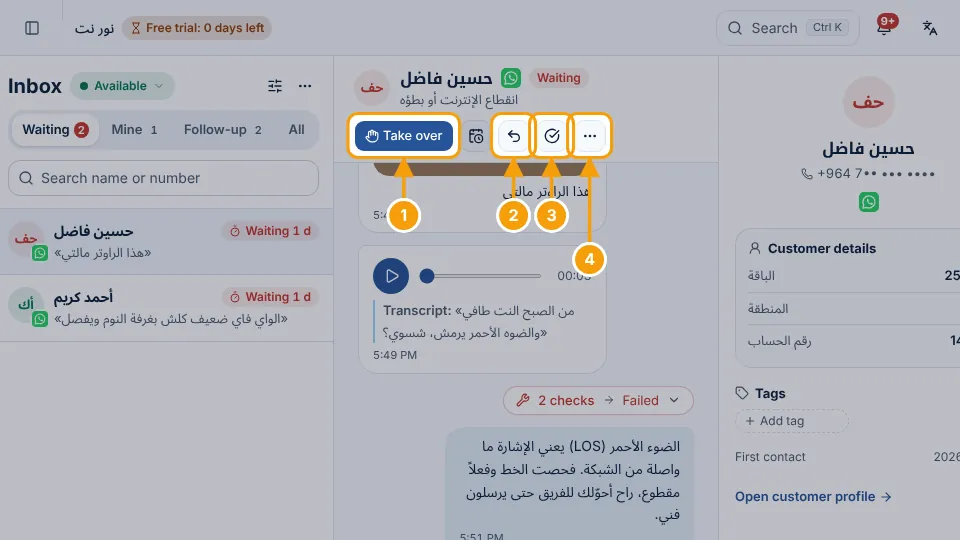
- Take over
- Hand back to assistant
- Mark as solved
- More, then Assign to…
Reply faster
- Type / in the reply box to pick a saved reply.
- From the More menu choose Select to resolve or assign several conversations at once.
- Press ? to see the keyboard shortcuts, such as J and K to move between conversations and R to reply.
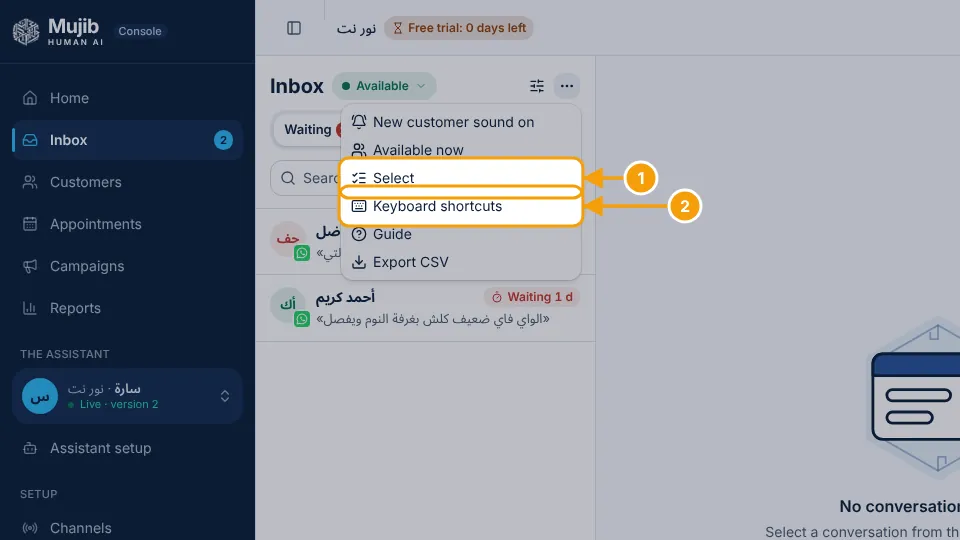
- Select
- Keyboard shortcuts
Correct Mujib from the conversation
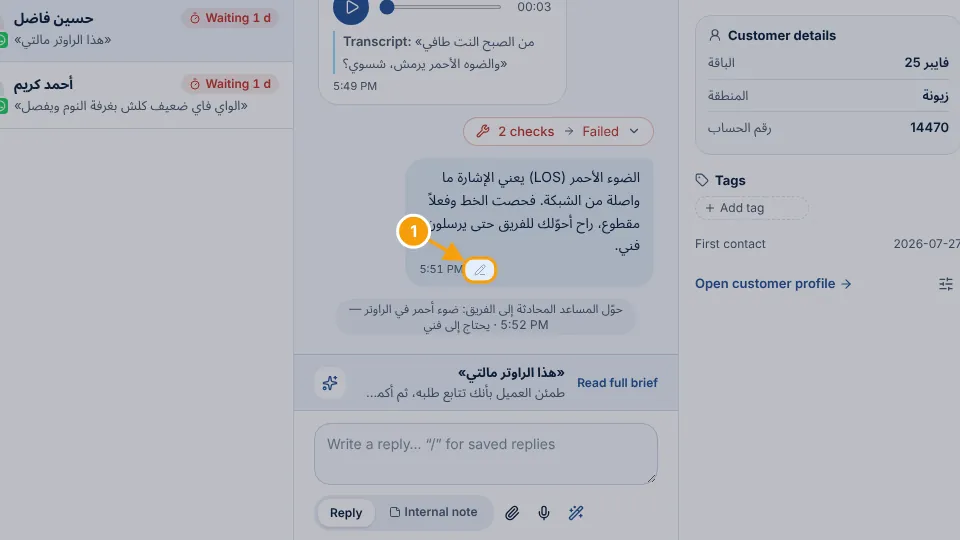
Hover over Mujib's reply, press Correct and write the right answer. Mujib keeps it and suggests a guidance rule from it that you can turn on in Persona & guidance.