
Where your channels are
In Channels, connected channels are at the top, and every channel you haven't connected yet is under Available channels with a Connect button. To add another number or account, press Connect another account on the channel's card.
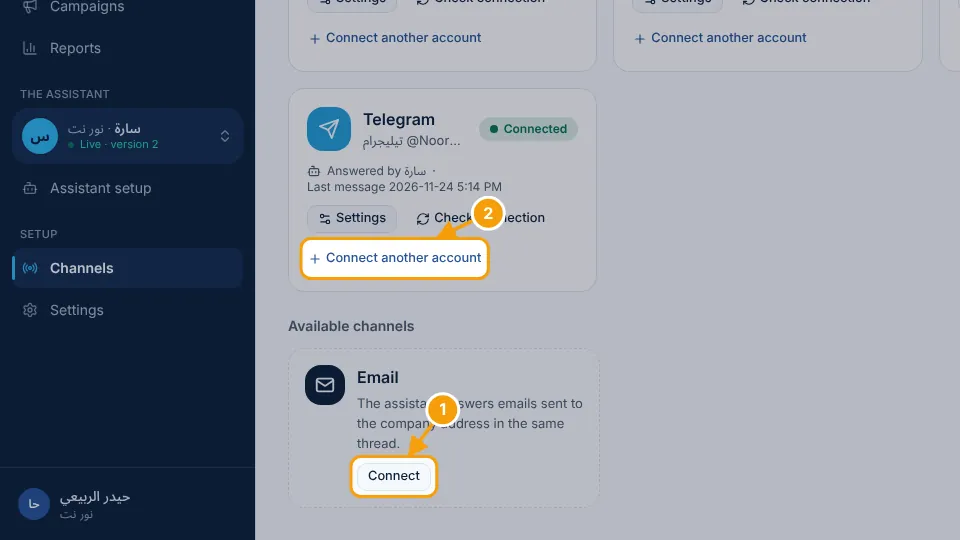
- Connect
- Connect another account
The official way connects a WhatsApp Business number through your Facebook account. For a quick trial you can connect with a QR code from your phone.
Messenger and Instagram
Press Connect with Facebook and choose the page or account. Mujib answers messages, and you can have it answer comments on your posts too.
Telegram and email
For Telegram you need the bot token BotFather gives you. For email you connect your mailbox with an app password, or by signing in with a Microsoft account.
The chat window on your website
Open the Website and app tab, choose the window's colour and title, then press Copy and put the line on your website before </body>. The window appears in the corner of the page and Mujib answers your visitors there.
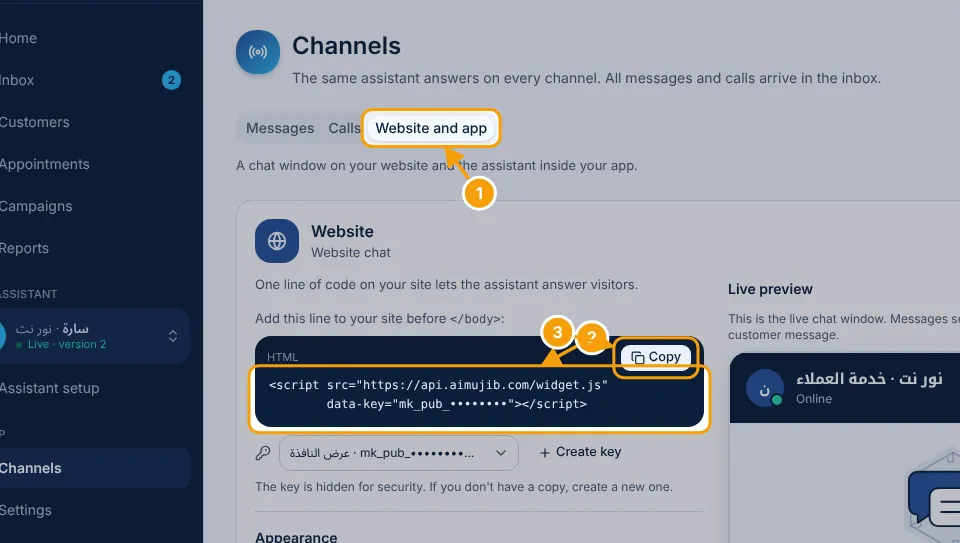
- Website and app
- The line for your website
- Copy